Cruise Line Tycoon Roblox Guides & Walkthroughs
Deep tutorials from first Pioneer dock to long-range Imperial voyages.
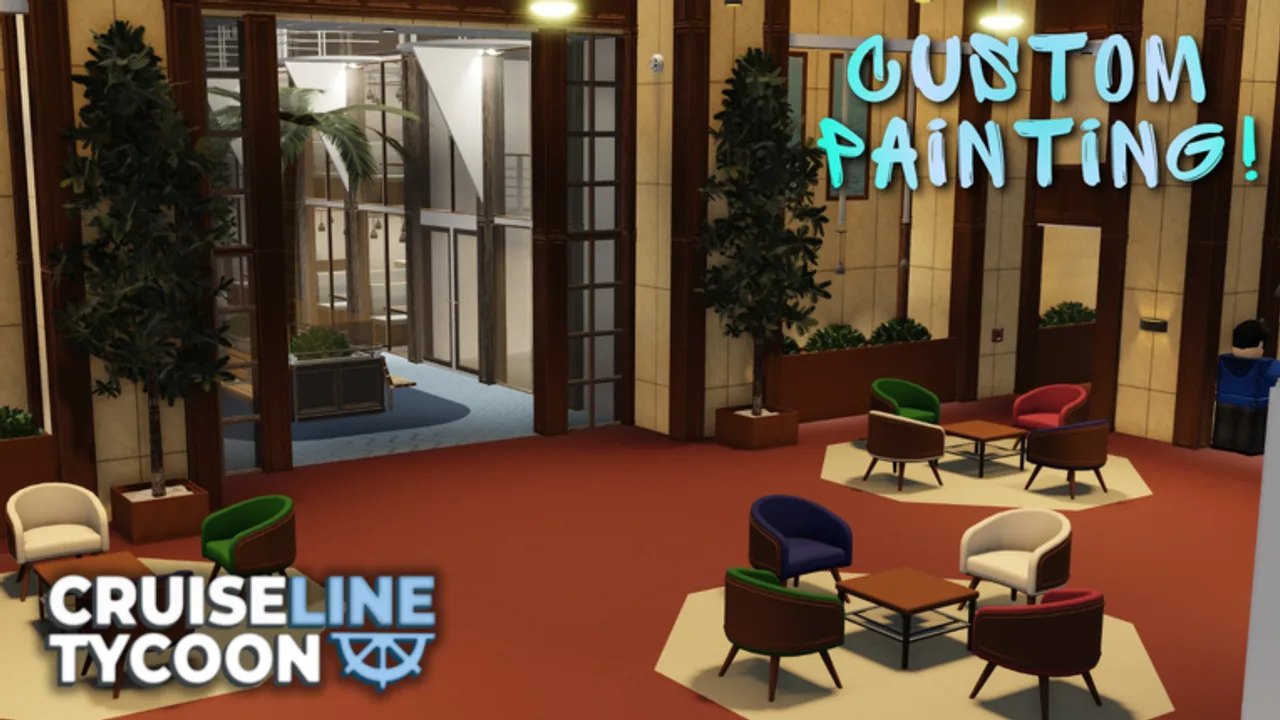
Welcome to the Cruise Line Tycoon guides hub—Quality Studios’ Roblox ship builder, now in Free Beta V2.0.0 after a paid Alpha era (~October 2025 onward). You place rooms on a tile grid, hire crew, stock fuel and supplies, and sail between islands while balancing guest satisfaction against voyage costs. This is not Cruise Ship Tycoon; co-op (Teamwork) arrived in V2.1 but remains early-stage. These guides cover solo progression from your first Pioneer hull at Qanaveral to Imperial Class runs toward Barcelona and Cozumel.
Beginner path: first sessions
New captains should read in this order:
- Getting Started — first-hour checklist: Free Beta access, Pioneer hull, cabins, toilets, food, light entertainment, and a safe maiden voyage.
- Controls — memorize G (build), F (remove/refund), R (rotate), and Mirror workflow before expensive refits.
- How to Build — corridor-first grid habits, refund-friendly prototyping, and deck zoning.
- Rooms and Amenities — cabins, restaurants, toilets, pools, and crew facilities that actually move rating.
- Tips and Tricks — Beta shortcuts, economy habits, and common mistakes to skip.
- Console & Mobile — Xbox, phone, and tablet UI tips when hotkeys differ from PC.
Together these pages prevent the most common failure mode: a pretty ship that cannot feed, toilet, or fuel its guests.
Operations path: profitable voyages
Once you can leave dock without panic, deepen operations knowledge:
- Money Farm — cabin rates, cheap rating boosts, captain autopilot, and up to five AFK routes.
- Fleet & Ship Slots — multi-ship ops after V2.0.1 slot pass, route specialization, and when to buy slots.
- Raise Rating — fix the lowest satisfaction category each voyage instead of spamming luxury tiles.
- Fuel and Supplies — departure checklists, resupply loops, and bankruptcy-proof buffers.
- Islands Map — Nassau, Seabrook, Palm Key, Northaven, Whitecap Cove, Hailmar (Aurora 20% off), Barcelona, Maravela, and shipyard strategy.
- Routes and Autopilot — loop planning, autopilot basics, and fuel-efficient port chains.
- Hire Crew — bunk cabins, medical, laundry, and staffing matched to venues.
- Missions — read live Beta criteria; note reworks like Double Decker and disabled Sugar Rush versions.
- Power and Propulsion — diesel fundamentals and ~20MW nuclear reactors for late hulls.
- Waterslides and Pools — V2.0.0 aquatic catalog: 50+ slides, kids pool, curved pool, and deck layout.
- Paint and Customize — expanded V2 colors, ferry smokestack options, and summer décor after layout locks.
- Restaurants — food coverage, venue prices, hourly rates, supplies, and dining pathing.
- Modular Structures — V1.20/V1.21 bar overhaul, modular zoning, and refund-friendly prototyping.
- Cinematic Mode — freecam controls, FOV, speed, ship vs. map axis, and Roblox Capture tools for wiki-quality screenshots.
Hull progression reference
Guides assume you know the progression ladder and special hulls:
- Pioneer → Stratus → Aurora → Explorer → Celeste → Horizon → Summit → Miracle → Jupiter → Eclipse → Imperial — standard shipyard line; see Progression Ships. Note: V2.1 remodeled Celeste to 72×12 tiles (down from 86×13) and reduced price to $5.75M.
- Comet Class — Alpha payer exclusive, not mid-tier shopping.
- Somnio / Orion — Yacht Bundle gamepass superyachts, not default progression steps.
Tier list pages complement these guides when you choose purchase timing.
Tools and cross-links
Several guides reference wiki tools:
- Rating Checklist — audit categories before décor spending.
- Fuel Planner — model range before long legs.
- Updates — V2.1 Teamwork, V1.23 Beta, V2.0.1 ship slots, and V2.0.0 Free Beta notes change missions, reactors, waterslides, and island layouts.
Every guide cross-links siblings—open Fuel and Supplies while reading Islands Map, or Hire Crew while planning Rooms and Amenities.
Suggested reading arcs
Rating stuck? Raise Rating → Rooms and Amenities → How to Build.
Stranded at sea? Fuel and Supplies → Routes and Autopilot → Islands Map.
Mission confusion? Missions → Updates → targeted Raise Rating fixes.
Pretty but poor? Paint and Customize last—function before palette.
Food rating stuck? Restaurants → Raise Rating → Fuel and Supplies.
V2 aquatic decks? Waterslides and Pools → Raise Rating → Tips and Tricks.
Need AFK cash? Money Farm → Routes and Autopilot → Fuel and Supplies.
Scaling a second ship? Fleet & Ship Slots → V2.0.1 Update → Money Farm.
Playing on Xbox or phone? Console & Mobile → Controls → Getting Started.
Bar or structure refits? Modular Structures → How to Build → Paint and Customize.
Need wiki-quality screenshots? Cinematic Mode → Islands Map for port compositions.
Revisit this hub after major Beta patches; shipyard prices, nuclear output, waterslide options, mission text, and Teamwork permissions change faster than hull art.
Frequently Asked Questions
Quick answers for Cruise Line Tycoon captains.
Which guide should I read first?
Start with Getting Started, then Controls and How to Build—those three pages cover your first profitable Qanaveral voyage on a Pioneer hull.
Are YouTube videos included in guides?
Many guides embed one real YouTube video mid-article—including Getting Started, Money Farm, Console & Mobile, How to Build, Cinematic Mode, and more with verified IDs.
Does co-op work in Beta?
Teamwork (co-op) shipped in V2.1. Invite collaborators through the Cruise Line menu and configure Edit/Drive/Manage permissions. See the V2.1 update page for details.
Where is Aurora Class cheapest?
Hailmar shipyard—see Islands Map and Routes and Autopilot for the 20% Aurora discount and cold-route planning.