Cruise Line Tycoon Roblox Console, Mobile & Cross-Play Tips
Join Free Beta from Xbox, phone, tablet, or PC—and keep builds clean when hotkeys differ.
Cruise Line Tycoon ships as a Roblox experience with console support (notably highlighted since the V1.13 era) and polished mobile/tablet UI work from earlier Alpha patches. Free Beta V2.0.0 means you can join without the old paid Alpha gate whether you sit on Xbox, a phone, a tablet, or a desktop. This page explains how platform choice changes the editor feel—not the economy rules. Cabin rates, fuel math, and rating still follow the same Free Beta systems covered in Money Farm and Raise Rating.
Search listings sometimes show a [CONSOLE] prefix in third-party directories. Always launch the official Quality Studios place (11474405411) from Roblox rather than lookalike titles or Cruise Ship Tycoon leftovers.
Platforms that run Free Beta
Roblox carries Cruise Line Tycoon across supported console, mobile, and PC clients. Feature parity for sailing, docking, missions, and shipyard shopping is the goal; build tooling comfort is what differs. Expect occasional Beta UI bugs on any platform—Quality Studios iterates publicly—and retest after notes on the Updates hub.
PC still offers the fastest grid editing once you memorize G / F / R and Mirror from Controls. Large Imperial refits feel less painful with mouse precision.
Mobile and tablets gained a UI recode for smoother touch placement, animations, and readable selectors. Use zoom aggressively, place structure in short passes, and avoid painting flagship walls during a shaky commute session—see Paint and Customize after layout locks.
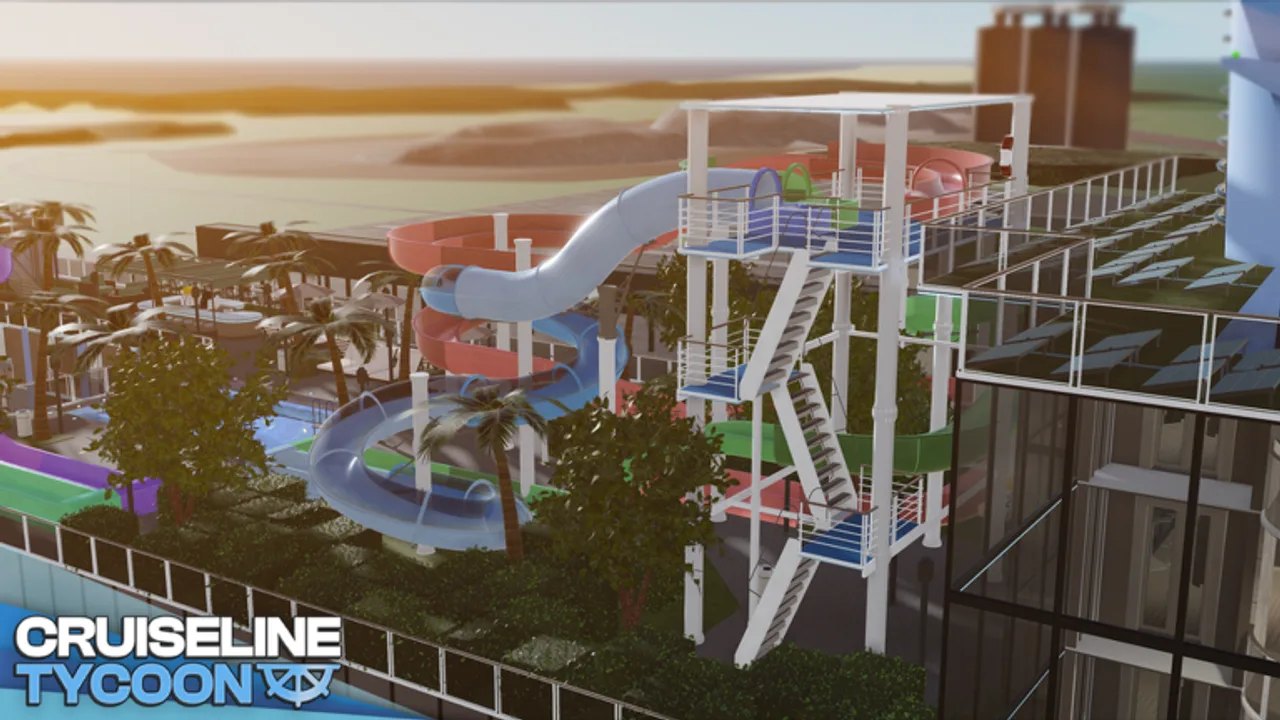
Console captains should lean on Roblox’s on-screen cursor and button prompts. Treat complex waterslide parks and diagonal modular bars as dock-only projects when stick precision fights the grid. V2.0.0 Waterslides and Pools reward patience more than speed on gamepad.
Build workflow when hotkeys change
Keyboard shortcuts (G build, F remove/refund, R rotate) are PC-first muscle memory. On touch and gamepad:
- Open the build / item selector from the on-screen Build control rather than hunting phantom keys.
- Confirm remove actions before mass deletes—refunds still help, but mis-taps on Imperial decks cost time.
- Rotate pieces with the rotate control until doors face corridors; 90° snaps still rule the grid.
- Use Mirror only after one side of a cabin bank proves pathable—mirroring a dead end doubles the mess.
Three-pass remodeling still wins on every platform: structure → furniture → décor. Cross-check How to Build before stacking V2 slides above unfinished toilets.
Sailing, autopilot, and AFK on portable devices
Autopilot money loops from Money Farm and Routes and Autopilot work when a captain and bridge consoles are installed—platform does not replace those requirements. Portable devices sleep aggressively: if Roblox suspends, AFK routes pause. For long farms, prefer a plugged-in device with screen-on settings that keep Roblox active, or finish the voyage session on PC.
Fuel and supply checklists from Fuel and Supplies matter more on mobile because UI panels can hide low tanks until you undock. Open port menus deliberately before every hop toward Cozumel or Barcelona.
Console-friendly progression advice
- Start on Pioneer with Getting Started loops from Qanaveral—do not buy Imperial on day one from a couch session.
- Prefer short Nassau / Seabrook shakedowns until rating and fuel feel automatic.
- Hire crew via Hire Crew before expanding passenger caps; understaffed venues punish every platform equally.
- Track Beta patches—console and UI fixes often land beside content drops like waterslides or paint expansions.
What does not change across platforms
Co-op remains planned, not shipped. Codes status still lives on Codes—no platform gets secret promo strings. Yacht Bundle and other Gamepasses charge the same Robux. Script executors remain against Roblox rules on every device; read Script Safety instead of chasing mobile “one-tap hubs.”
Troubleshooting platform friction
Cannot find build tools. Rejoin the official experience, finish loading, then open Build from the HUD. Beta panels move between patches.
Placement feels sticky on touch. Zoom in, place one tile row at a time, and refund mistakes with remove rather than fighting multi-select.
Autopilot will not start. Confirm captain hire + bridge consoles + assigned route—platform is rarely the root cause.
Performance dips on large hulls. Hide other players if the option exists, reduce NPC visual load when settings allow, and remodel in sections.
When in doubt, practice the same maiden-voyage checklist from Getting Started on your device of choice, then deepen with Tips and Tricks. Platform is a controller preference—not a different game economy.
Frequently Asked Questions
Quick answers for Cruise Line Tycoon captains.
Can I play Cruise Line Tycoon on Xbox or console?
Yes. Roblox console support includes this experience. Use the official Quality Studios place and expect build tooling to feel different from PC hotkeys.
Does mobile have the same Free Beta features?
Core sailing, building, missions, and shipyard access are shared. Touch UI and device sleep behavior are the main differences for AFK autopilot farms.
Do G, F, and R work on phone?
Those keys are PC shortcuts. On mobile and console, use on-screen Build, remove, and rotate controls that mirror the same grid actions.
Is there a separate console-only version of the game?
Third-party sites may label listings with CONSOLE. Always open place ID 11474405411 from Roblox rather than unofficial copies.