Cruise Line Tycoon Roblox Modular Structures & Bars
Build flexible decks after the structures overhaul—without trapping your refund budget.
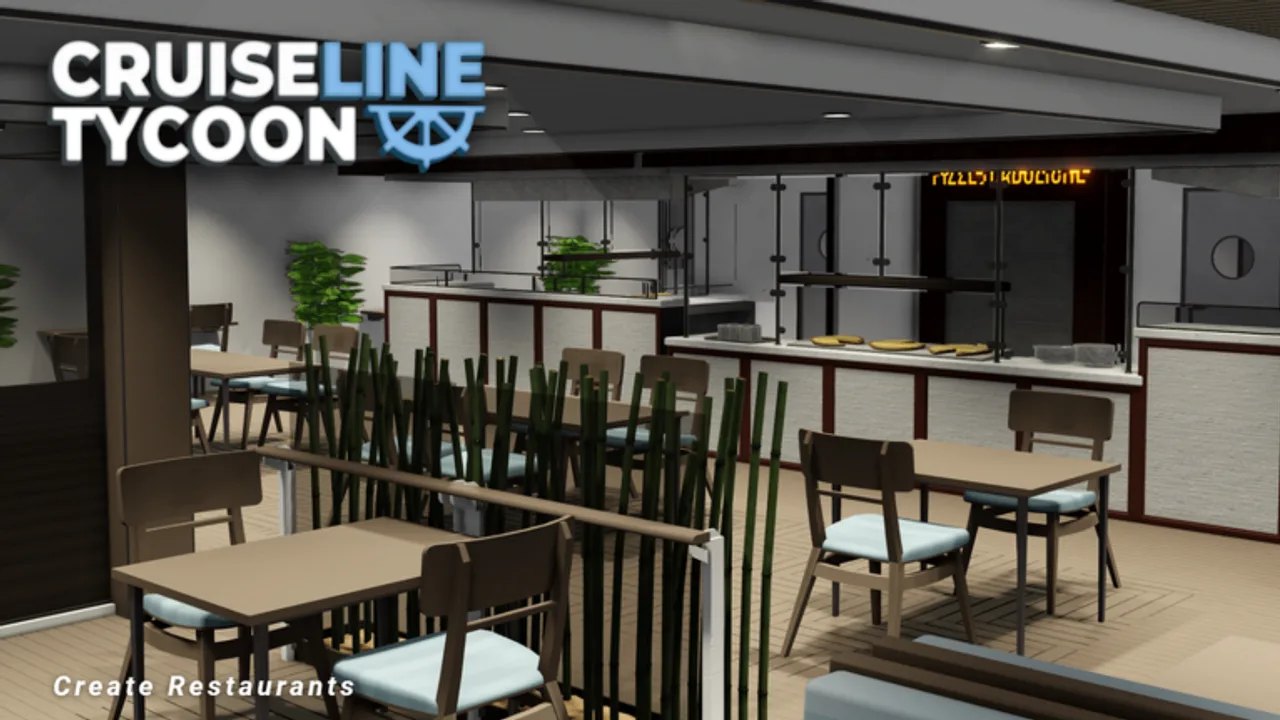
Modular structures changed how Cruise Line Tycoon captains assemble bars, partitions, and flexible room shells. Quality Studios’ Roblox Alpha—not Cruise Ship Tycoon—shipped a structures overhaul across V1.20 and V1.21, introducing modular bar pieces, refined placement rules, and summer items that pair with later V1.22.0 advanced paint. Understanding modular workflows separates clean promenade builds from refund-heavy experiments that stall voyages to Nassau or Barcelona.
What changed in V1.20 and V1.21
The structures overhaul replaced rigid bar and partition workflows with composable pieces captains snap together on the grid. Modular bars let you shape L-shaped service counters, wrap corners on Somnio Class (~6,775 tiles) promenades, and prototype entertainment wings before committing full restaurant decks.
Summer items landed alongside structural tools—outdoor accents that boost decoration when placed on loops guests already walk. Treat structure patches as layout enablers, not excuses to skip toilets or food from Restaurants.
Retest collision and guest pathing after every structures patch; Alpha fixes often target flagship geometry on Imperial Class (13 decks, ~35,000 tiles).
Modular bar building tips
Bars drive entertainment and variety scores but compete for corridor width with cabins and toilets. When assembling modular bar segments:
- Anchor the bar spine on your main guest loop from How to Build.
- Use G to place modules, R to rotate corners, F to refund misaligned segments before duplicating across decks.
- Leave service gaps for crew paths—bars staffed by nobody behave like expensive décor.
- Mirror symmetric wings on wide Imperial Class decks only after one side passes a walkthrough audit.
Pair bars with food venues on adjacent tiles so guests do not cross crew-only corridors for drinks after dining.
Zoning modular pieces by deck
Separate modular zones the same way you zone engines and cabins:
| Zone | Modular use |
|---|---|
| Main promenade | Bar spines, summer accents, low buffet bars |
| Pool deck | Modular rail pieces and seasonal lounges |
| Crew service | Restricted partitions—not guest bar extensions |
| Cold-route interiors | Enclosed bar modules on Aurora Class near heated corridors |
Aurora Class buyers at Hailmar (20% discount) should prototype modular layouts on current hulls before scaling to thirteen-deck redundancy.
Refund discipline with F
Alpha refunds through F keep modular experimentation viable. Remove bar segments that choke stair access before sailing Whitecap Cove or Cozumel—mid-voyage demolitions hurt mission timers and shop-visit objectives like First Class Indulgence from Missions.
Prototype one deck zone docked at Qanaveral, sail a short loop, then clone patterns fleet-wide. Copying YouTube megabars before verifying guest paths wastes more credits than iterative F refunds.
Linking paint and modular décor
V1.22.0 advanced paint layers onto structures captains already placed. Finish modular bar shapes before opening color palettes—recoloring a bar guests cannot reach wastes time. Read Paint and Customize and the V1.22 Advanced Paint update for seasonal retest notes.
Summer items from recent patches sit best on modular promenades between cabins and Rooms and Amenities hubs, not on isolated observation decks.
Integration with rooms and rating
Modular bars supplement—not replace—restaurants, toilets, and crew bunks. Underbuilt food service still caps rating regardless of bar elegance. Cross-check Raise Rating when entertainment lags while food and hygiene score well.
Power-hungry modular lighting and props stress Power and Propulsion on diesel hulls; nuclear reactors (~20 MW) on late builds free tiles but still need engine-room zoning discipline.
Island-aware structure planning
Short warm hops (Seabrook, Palm Key, Northaven) forgive thin modular entertainment. Long legs to Maravela demand indoor modular clusters guests can reach without hiking past chokepoints.
Route planning on Islands Map should inform where you invest modular bar budget—cold Hailmar departures need enclosed promenade modules more than open-deck tiki bars.
Controls refresher
Modular workflows use the same Controls toolkit as functional rooms:
- G — select and place structure modules.
- F — remove and refund experiments.
- R — rotate corners and bar segments.
- Mirror — symmetric wings after single-side validation.
Co-op remains planned, not released—build solo-viable modular decks without assuming a friend will staff bars mid-voyage.
Practical modular workflow
- Complete corridor spine and cabin clusters.
- Snap modular bar prototype on promenade.
- Walk guest loop; refund chokepoints with F.
- Add summer accents after traffic confirms.
- Apply advanced paint only when structure locks.
- Retest rating on Qanaveral → Nassau before flagship commits.
Modular structures reward captains who treat bars as circulation-aware systems—not tile art. Master composable pieces after the V1.20/V1.21 overhaul, link decisions to food and crew guides, and retest whenever Updates touch building tools.
Frequently Asked Questions
Quick answers for Cruise Line Tycoon captains.
Do modular bars count as food venues?
No. Bars boost entertainment and variety; food rating still comes from restaurants and buffet bars—see the Restaurants guide for hourly output.
Should I rebuild all bars after the V1.20/V1.21 overhaul?
Only if patch notes or live testing show collision or pathing breaks on your hull. Functional legacy bars may still work—verify before mass F refunds.
Can I paint modular bars before finishing layout?
You can, but advanced paint from V1.22.0 is best applied after guest paths lock—avoid recoloring segments you will refund later.
How do modular structures interact with Imperial Class scale?
Repeat modular bar patterns per deck zone with shared stair cores—13 decks amplify small bar chokepoints into fleet-wide rating losses.